Named after a real dog. Built by a real teacher.
Meet Milo, the most helpful teacher's pet!
Milo is the curriculum-grounded teaching and learning platform built around your day. Today, it connects planning, adaptable resources, interactive experiences, assessment, and reporting in one teacher-guided workflow. The student workspace is designed and being built to bring learners into that same learning journey.
Your first month is on us — then just $10 CAD/month, one simple plan. No code needed, cancel anytime.
🍁 Primary application records hosted in Canada · PIPEDA-aligned
What Milo does for you
- 01
Your class
A growing library of ready-made interactive lessons for your board, grounded in the Ontario curriculum. Set up your class once and Milo shapes new lessons around your students.
- 02
Schedule planner
Set your timetable once, homeroom or rotary. Open a teaching period and Milo drafts that lesson. Give feedback and it revises it.
- 03
Unit planner
Pick the Ontario expectations and Milo drafts your lessons and units, split grades included, for any period on your timetable.
- 04
Report cards
Move a slider for each skill, add evidence, and get a Growing Success comment with next steps. Student names are never sent to the AI.
See it work
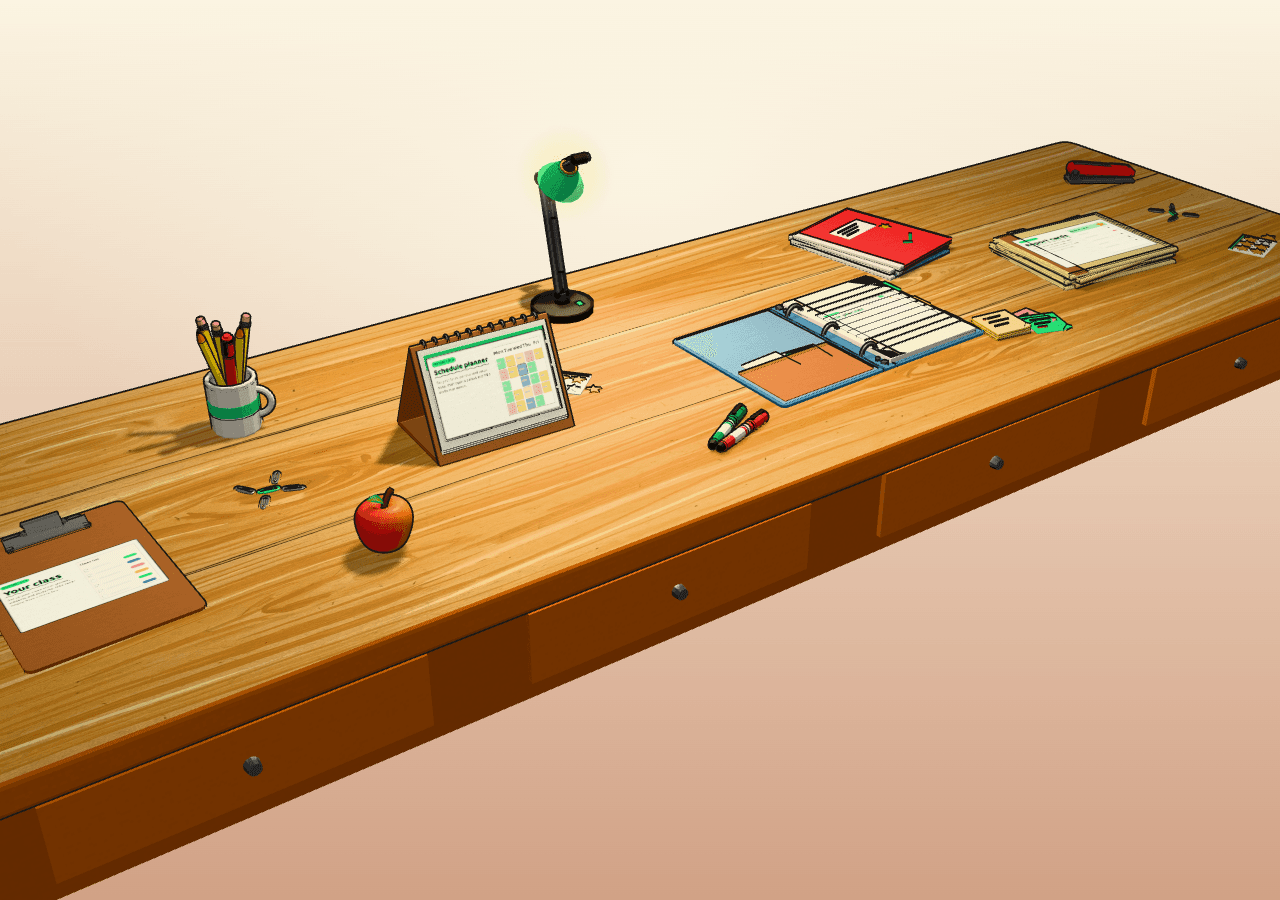
Milo, on a teacher’s desk
Scroll down to explore Milo's desk ↓
Your class, your teaching week, unit plans and report cards. Scroll at your own pace, or press Play to hear the story.
Read all four features
Your class
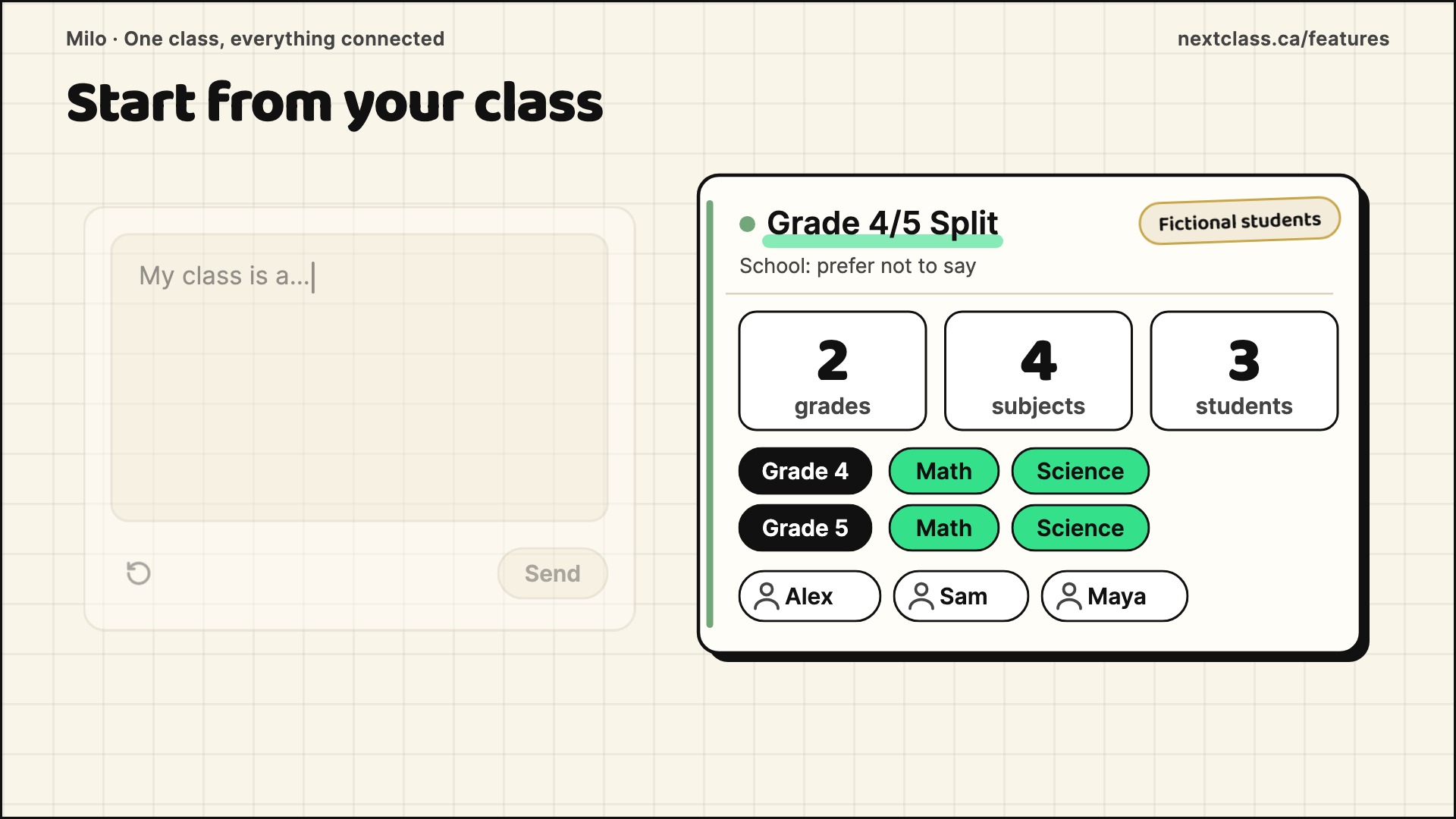
Set up your class once: grades, subjects and students. Milo never begins from a blank box.
See all 10 steps
Start from your class
Set up your class once. A blank AI box starts from scratch. Milo starts from your class.
Create your class
Create a class in three steps. Name it, pick your school or prefer not to say, and choose a colour.
Grades and subjects
Pick one grade, or two for a split. Tick the subjects for each, then review and create.
Add your students
Add your students in one table, with a pronoun and a grade for each.
A few lines on each
Then a short profile for each. Strong at mental math. Strengths, needs and interests.
Units from your class
From here, the class comes with you. Build a unit from its Ontario expectations, with activities tiered for each grade.
Your timetable knows it
In the planner, link a block to this class and subject. Open that period, and choose its expectations from that class's curriculum.
Adapt for one student
Adapt a text, worksheet or rubric for one student. Add sentence starters. Milo works from the profile you wrote.
Report cards, same class
At report time, the same class and students are there. Choose the sub-skills and expectations you report on.
Set up your class once
Set up your class once. Units, lessons, adaptations and report cards start from it. Student names are never sent to the AI. Try Milo free for a month.
Schedule planner
Set your term, periods and preps once, then open a period and Milo drafts that lesson.
See all 9 steps
A full teaching week
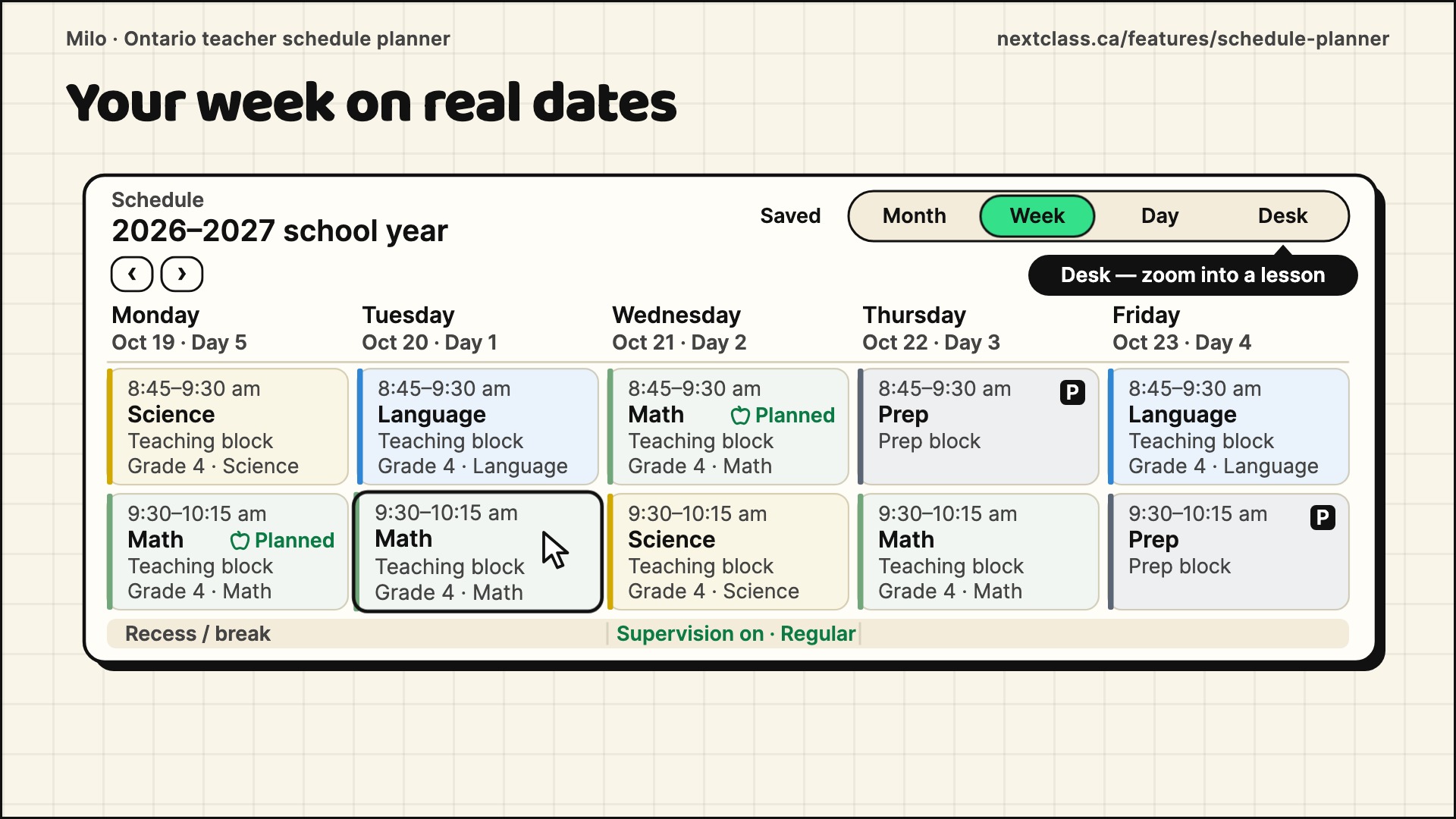
You have five days of periods to plan. Milo puts your week on real dates, and drafts a lesson for the period you open.
Set up the term once
Name the term and its dates. Pick a week, or a Day one to five rotation. Then add periods, recess and lunch.
Place your blocks
Homeroom or rotary? Link each teaching block to its class and subject. Add prep blocks, and switch on recess supervision. That's your week.
Your week on real dates
The planner shows your week on real dates. Switch to day or month. Open a teaching period.
Choose the expectations
Generate with Milo. No prompt writing needed. Pick expectations from that class's Ontario curriculum. Add notes if you like, and Milo does the rest.
A lesson for that period
Milo drafts the lesson. Goals, success criteria, a learning sequence, assessment checks, and Access and UDL options. Review it, and edit any section.
Notes before and after
Add notes before and after class. The exit ticket was too hard. Refine that lesson with feedback, and Milo reworks it with your notes in view.
Calendar changes, previewed
Snow day. Shift the day, and Milo previews the change before you confirm it. Displaced lessons are moved or parked, never deleted.
Put your teaching week in place
Draft it, give feedback, and keep your notes beside it. Questions? Text our helpline from the help section in Milo. Try Milo free for a month.
Unit planner
Pick the Ontario expectations and Milo drafts your unit and lessons, split grades included.
See all 10 steps
Two grades, one room
Two grades. One room. Milo sorts your expectations by grade and subject, then plans one unit for both.
Set up your class once
Set up your class once. Pick both grades, then the subjects you teach in each.
Add your students
Add your students in one table. Then add a few lines on their strengths, needs and interests.
Choose the expectations
Build a unit of five lessons, then tick expectations from both grades. No prompt writing needed. Milo builds the prompt from your class, grades and expectations.
Milo drafts the unit
Add exit tickets and accommodations, then create. Generate the introduction, the overview, then each lesson.
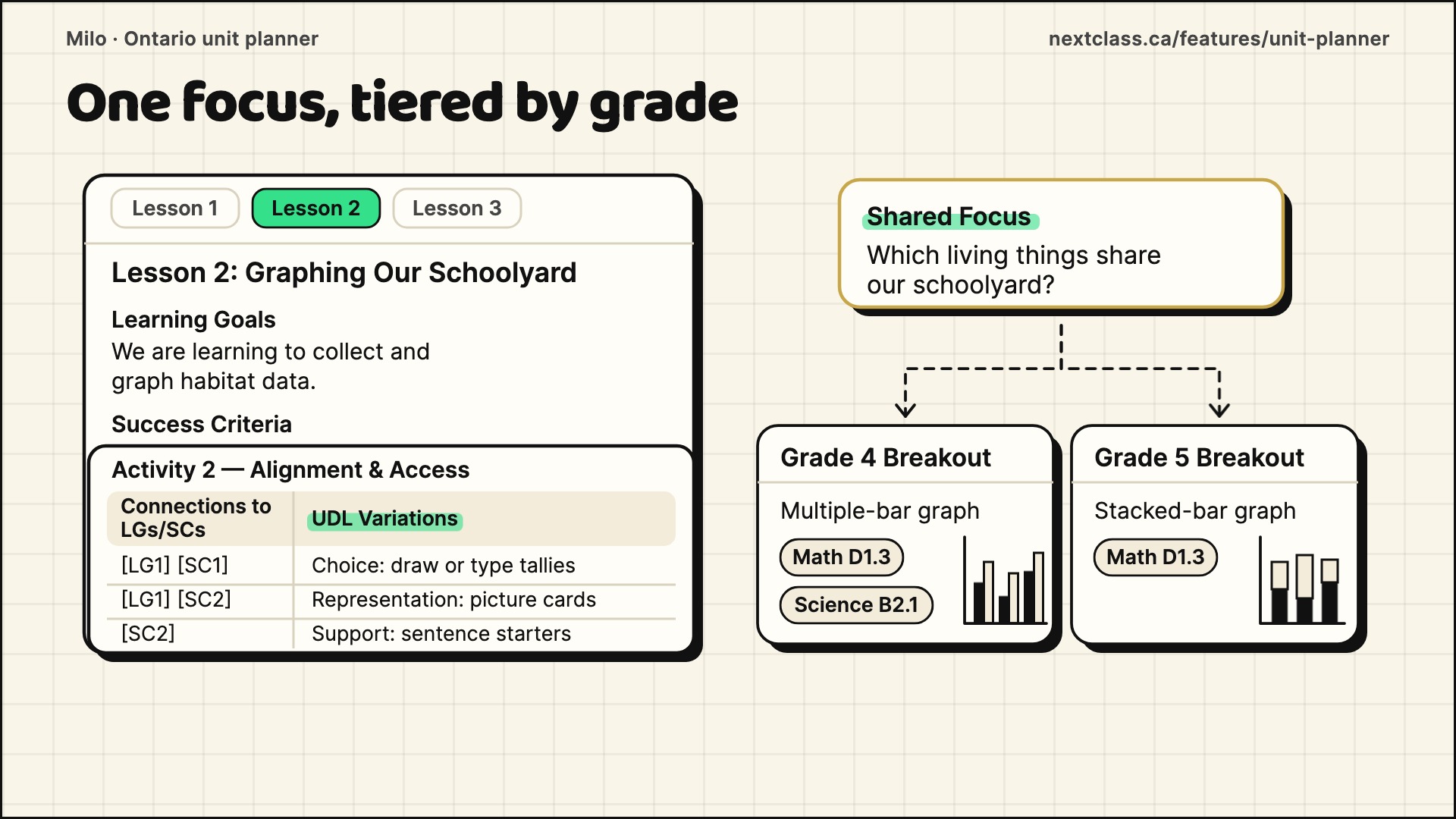
One focus, tiered by grade
Each lesson has learning goals and success criteria, written to follow Growing Success. Both grades share one focus, with tiered activities for each grade. Each activity comes with UDL variations: choices, representations and supports.
Texts, worksheets, rubrics
Make a student text, or a worksheet with an answer key. Rubrics follow the Achievement Chart, levels one to four.
Adapt it for one student
Adapt a saved item for one student. Add a word bank. Milo drafts it from their profile.
Your notes steer the lesson
Add a planning note before, and a reflection after. Regenerate, and your notes steer that same lesson.
Start with the class you already teach
Download any of it as Word. Student names are never sent to the AI. Try Milo free for a month.
Report cards
Move a slider for each skill, add evidence, and Milo drafts one Growing Success comment with next steps for you to edit.
See all 9 steps
Report card season
Don't lose all your time drafting report cards. Six learning skills per student, and one comment. Milo drafts it from your judgement.
Set up the report once
Set up the report once. Pick the reporting period. Paste your school's guidelines. Then choose the sub-skills you report on.
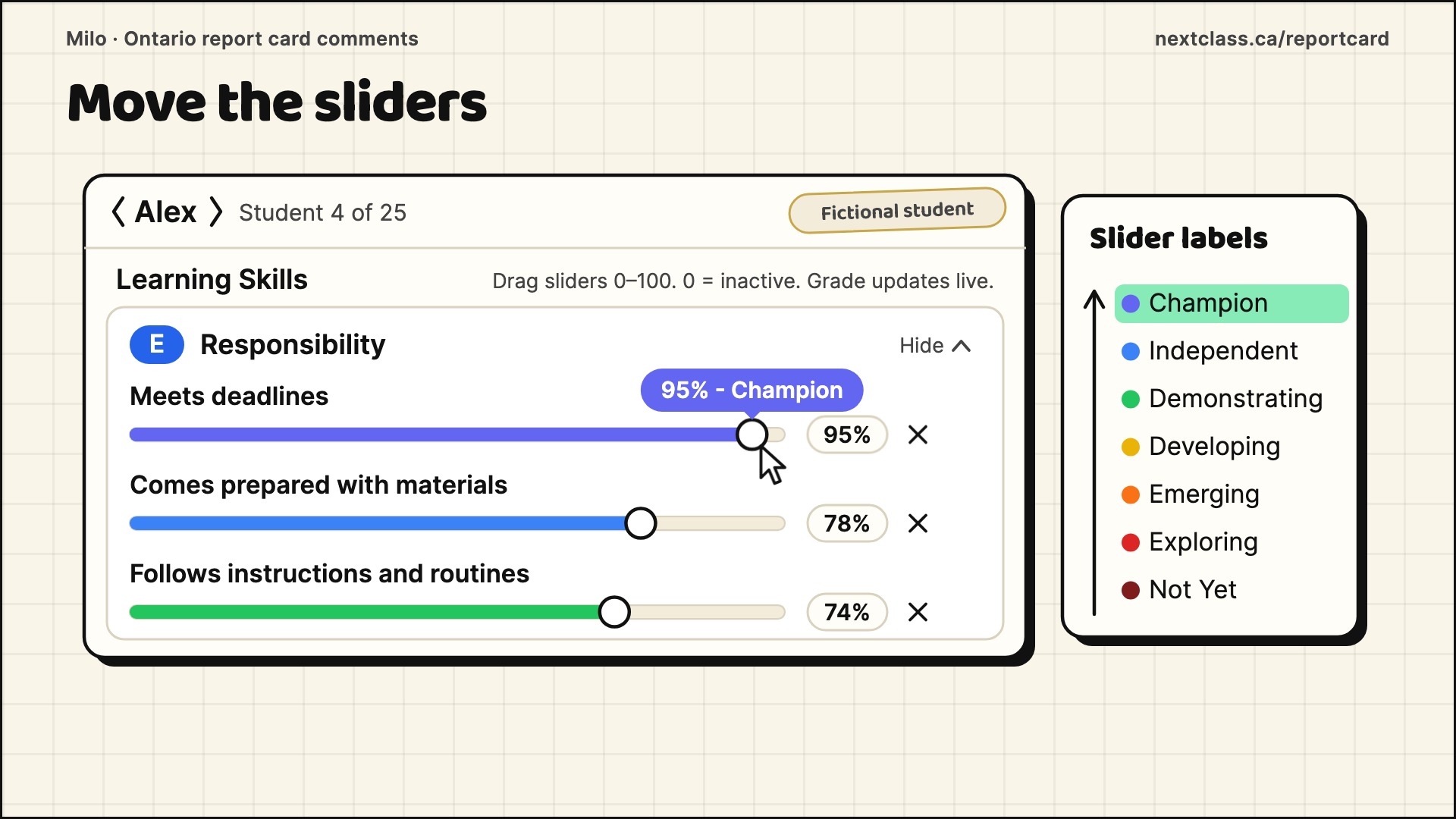
Move the sliders
Next, move a slider for each sub-skill, from zero to one hundred. The label changes as you drag, from Not Yet up to Champion.
A suggested E, G, S or N
Milo suggests E, G, S or N for each skill as you go. It's only a suggestion. And you choose the level on the report card.
Add a line of evidence
Add a line of evidence if you have one. Type it, or tap the microphone and say it. Your notes shape the next steps.
Generate one paragraph
Okay. Generate. Milo drafts one parent-friendly paragraph in Growing Success language. Strengths first, then two or three specific next steps. It is written to fit the character limit for each reporting period.
Tighten, expand or ask
Want it shorter? Select Tighten, and Milo writes a new version. You can also expand it, or request changes in your own words.
Set the version you want
Set the version you want as active. That's the one. Then copy the text into your board's report system. You approve every word.
Milo drafts. You decide.
Student names are never sent to the AI. The real name appears only on your screen. Try Milo free for a month.
See Milo in action
Pick a video to watch Milo at work. You review, refine, and stay in charge. Milo drafts, you decide.
Set up your class once: grades, subjects and students. Milo never begins from a blank box. See the full page →
Set your term, periods and preps once, then open a period and Milo drafts that lesson. See the full page →
Pick the Ontario expectations and Milo drafts your unit and lessons, split grades included. See the full page →
Move a slider for each skill, add evidence, and Milo drafts one Growing Success comment with next steps for you to edit. See the full page →
Teacher Stories
What Teachers Are Saying
Hear how teachers use Milo to reclaim planning time, tailor instruction, and simplify reporting.
“Weekend planning shrank from three hours to minutes, yet every Ontario expectation is still covered.”
Privacy & trust
Built for how Canadian schools actually work

Talk to the founder, not a call centre. Milo Professional includes direct phone & email support from the founder — a fellow Ontario teacher who's taught the curriculum.
Build the week—not just another lesson plan
Milo works as an Ontario lesson plan generator when you need one, then carries that curriculum context into unit outlines, teaching materials, student texts, and differentiated pathways. Skip the blank planning page and head straight to instruction or start your Milo account to customise the experience for your class.
One teaching day. One connected context.
Move from lesson prep to differentiated delivery, evaluation, and reporting without starting from zero at every stage. Milo turns the evidence you choose into report card-ready comments while your professional judgement stays in charge.
Why teachers trust Milo
Less time planning
Units, lessons, and assessments start from your class, not a blank page.
No prompts to write
Answer a few plain questions and get curriculum-grounded material.
Every learner
UDL choices and per-student adaptations, built in.
Built by a teacher
Made by an Ontario teacher, for Ontario classrooms.
Ready to bring your teaching workflow together?
Bring planning, differentiation, evaluation, and reporting into one curriculum-grounded workflow — with your professional judgement in charge.
Free Ontario teacher resources
Practical, Growing Success-aligned guides — free to read, no account needed.
Frequently asked questions
What is Milo?
Milo is a curriculum-grounded AI teaching platform built by an Ontario teacher. It connects lesson planning, interactive teaching aids, per-student adaptations, evaluation, and report writing in one workflow. You review, edit, and approve everything — your professional judgement stays in charge.
How much does Milo cost?
Milo is one simple plan: $10 CAD per month, with your first month free. There are no tiers to decode.
Is my students' data stored in Canada?
Milo’s primary application records are hosted in Canada. Some service providers may process information in other countries as described in the Privacy Notice. Personal information is excluded from model training by default; any opt-in requires express consent. Teachers remain responsible for reviewing every output.
Does Milo align with Growing Success?
Yes. Comments follow Growing Success: E/G/S/N for the six learning skills, letter grades for subjects, and the Kindergarten Four Frames. Lessons are written with learning goals, success criteria and Achievement Chart rubrics.
Who built Milo?
Milo was built by a teacher with ten years in Ontario classrooms, which is why it's shaped around report card season as Ontario teachers actually experience it.
Is there a free Ontario report card generator?
Yes. Milo is an Ontario report card generator with a free first month (then $10 CAD per month, one plan, cancel anytime). You rate each skill on sliders, add evidence if you have it, and Milo drafts a Growing Success comment with next steps for learning skills, subjects and the Kindergarten Four Frames. You review and edit every comment.
Does the Ontario report card generator follow Growing Success?
Yes. Learning skills use E/G/S/N, Milo suggests subject letter grades from your expectation sliders and you choose the final grade, and Kindergarten uses the Four Frames. Each comment is one parent-friendly Growing Success paragraph: strengths first, then two or three specific next steps.
Can Milo generate Ontario lesson plans too?
Yes. Milo is also an Ontario lesson plan generator: tell it your grades, strands, or rotary schedule and it drafts curriculum-aligned unit maps, lesson kits, and differentiated materials mapped to Ontario curriculum expectations. You review and adjust everything before you teach it.
What's coming next?
Everything described on this site is available in Milo Professional today. We are also designing a guided student workspace and prototyping playful exploration experiences, and we are working on a free lesson planner. None of these are part of your subscription yet, and we will announce them when they are ready.